Selling on Lapvio changes what Lapvio can do for you. The moment a driver buys through your event page, Lapvio knows who is coming, so a set of tools that had nothing to work with switches on. All of it stays on the FREE plan.
Here is the honest before and after.
| Listing only | Selling on Lapvio | |
|---|---|---|
| Your event in discovery | Yes | Yes, plus the "Bookable on Lapvio" filter |
| Who is coming | You know, in your own system | A live roster in Lapvio |
| Check-in | Your clipboard | QR scan or one tap per driver |
| Talking to entrants | Your inbox | Event chat with your participants |
| Money | Your booking system | Orders and refunds in Lapvio |
| Your phone | Driver app | Organizer mode with trackside tools |
| Driver's record | Only if they log it | Verified automatically |
The roster
Every ticket sold puts a driver on the event's Roster: name, contact, ticket type and car. It fills itself as sales come in, and it is the list you actually work from on the day.
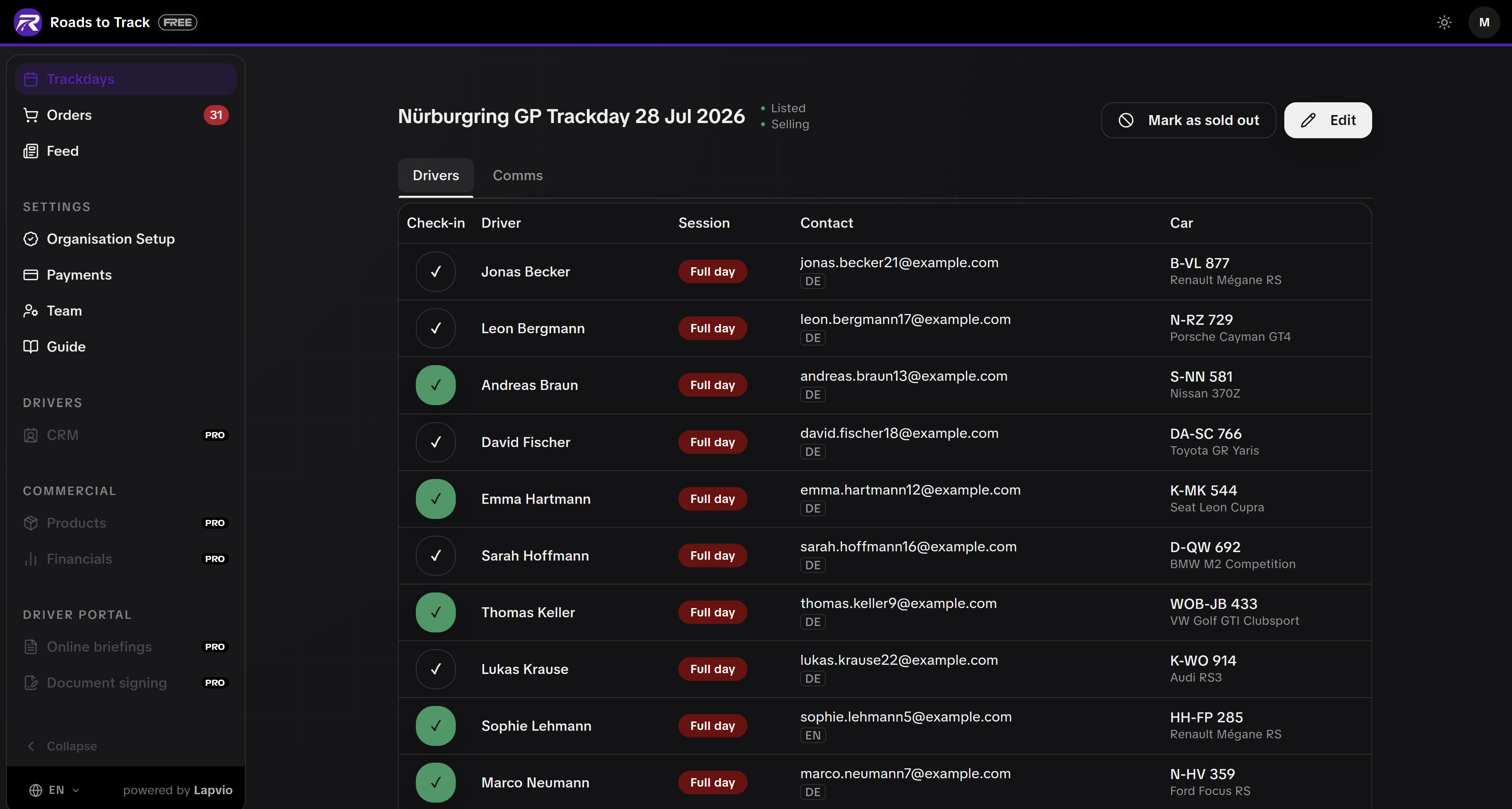

PRO adds private notes per driver and their full history with you across every event, so nothing about a returning driver is a surprise at the gate.
Check-in at the gate
Each driver gets a check-in QR code. Scan it with any phone and they are marked in, with their car and plate shown large enough to read at arm's length. No app for the driver to install, and no separate device for you. The full walkthrough is in the Event day chapter inside your admin Guide.
Event chat
Selling events get a Comms tab: a two-way chat between you and everyone registered for that event. Weather, gate times, a change of plan. One message reaches the people who are actually coming, instead of a public post that reaches everyone else too. You can attach photos too, so the paddock map or a briefing slide lands right in the chat.
Waitlist that actually converts
Mark a sold-out event and drivers join the waitlist instead of bouncing. When a spot frees up you offer it, and they book it on the same page. First come, first served.
Orders, refunds and payouts
Every sale lands in Orders with the buyer, the event, the amount and the status. Refunds are one action, full or partial, and Lapvio's fee is adjusted with them automatically. Payouts go to your own Stripe account.
PRO turns this into full financials: revenue against costs, margin per event, and a season view of whether you are actually making money.
Add-ons in the same checkout
Sell a garage box, lunch, a photographer or an instructor session alongside the ticket. The driver pays once, and you get the whole order in one place.
Your phone becomes an ops tool
Organizer mode appears in the Lapvio app once you can take payments. Your next event, the check-in count, the roster and the scanner, in your pocket at the paddock. See Lapvio on your phone.
And your drivers get more
This is the half most organisers underestimate. A driver who books through Lapvio gets their ticket, their entry QR and their event details in the app, and the day lands in their verified track record automatically. Read What your drivers get.
What it does not change
- Your prices stay yours. Lapvio never sets them.
- Your money goes to your own Stripe account, not to a Lapvio balance.
- You can switch back to your own booking link on any event, at any time.
- There is still no subscription. You pay a fee per ticket sold and nothing else.