Lapvio is free to join. You get a public profile, you list your trackdays so drivers find them, and you can sell tickets with card payments. No subscription, no card on file. This chapter gets you an account and shows you around.
What you get for free
- A public organiser profile at your own address on lapvio.com.
- Unlimited trackday listings on your profile and in Lapvio's trackday discovery.
- A Feed for posts and updates between events.
- Ticket sales with card payments, if you want them. You pay a fee per ticket sold and nothing else.
- Co-admins, so your team works in the same account.
Create your account
- On lapvio.com, open the footer and choose Create free profile.
- Enter your email and tap Send code. We email you a 6-digit code.
- Type the code. That verifies the inbox is yours.
- Enter your organisation name. You see your public web address preview as you type. Tap Create organisation.
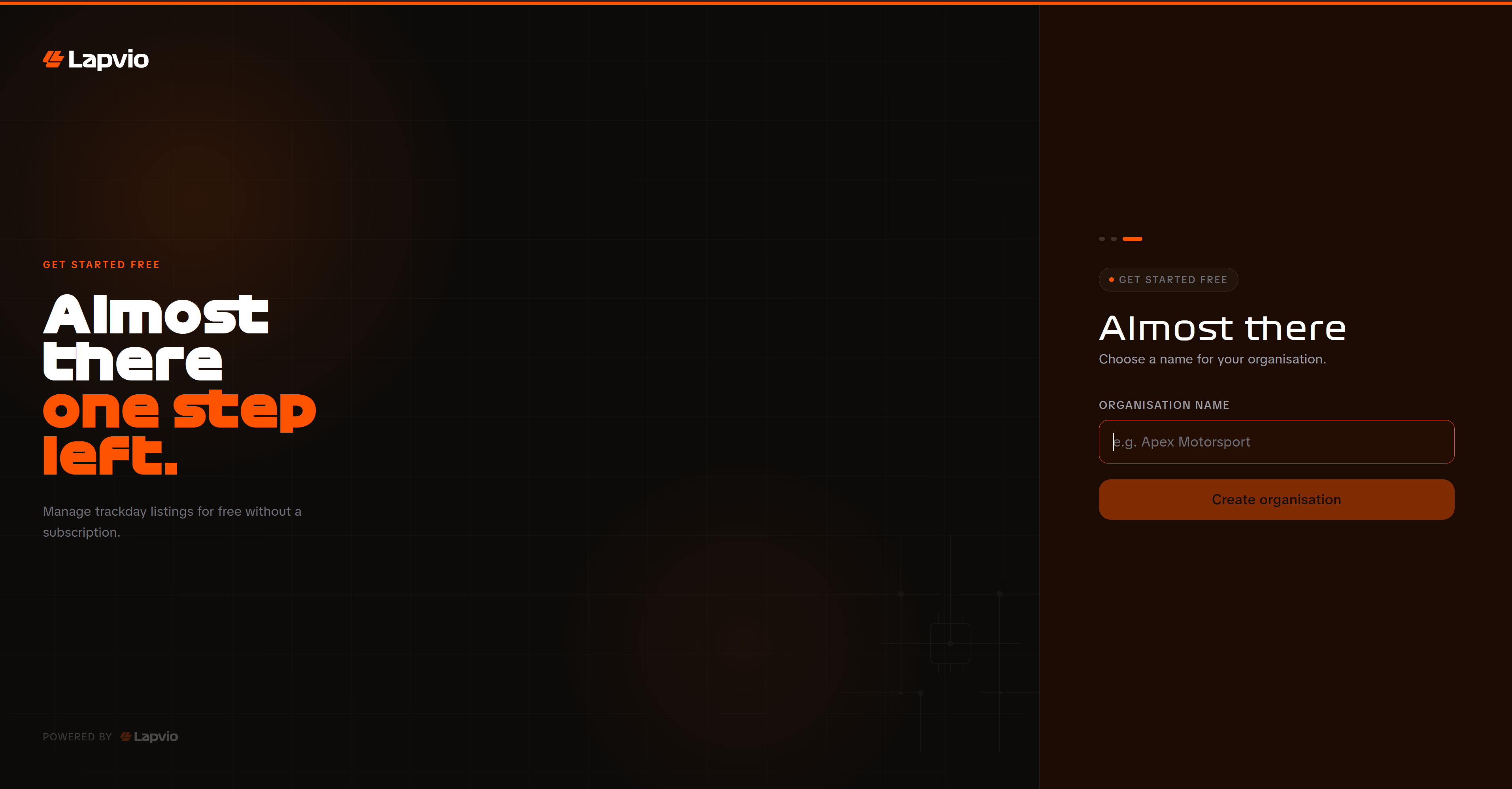
You land straight in your admin, where a short tour walks you through the three things worth doing first: Organisation Setup, your first trackday, and Payments. It is four clicks and you can skip it at any point. To run it again later, open Guide and choose Take the tour again.
Your name sets your public address
Your organisation name generates your public address, for example lapvio.com/apex-motorsport. It is what drivers see and what you share. Pick the name you actually trade under.
Signing back in
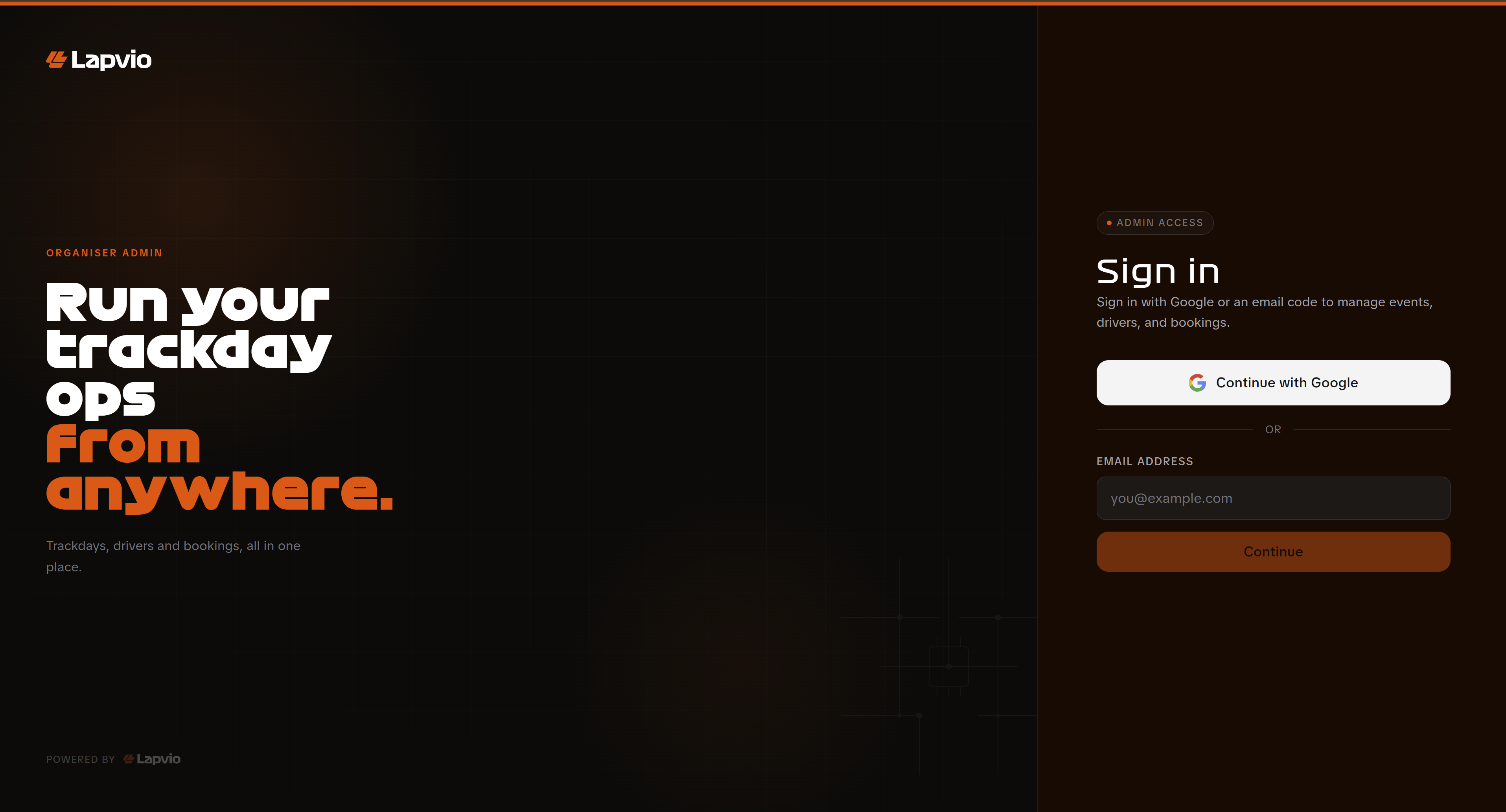
Use Organizer login in the lapvio.com footer. Sign in with Google, or enter your email and we send a fresh code. There is no password to remember, and both routes land you back in your admin.
Already listed on Lapvio?
We pre-add some organisations so drivers can find their events. If you already see a page for yours, contact us from that page and we will hand it over to you. Do not create a second account, or your history ends up split in two.
Your admin, at a glance
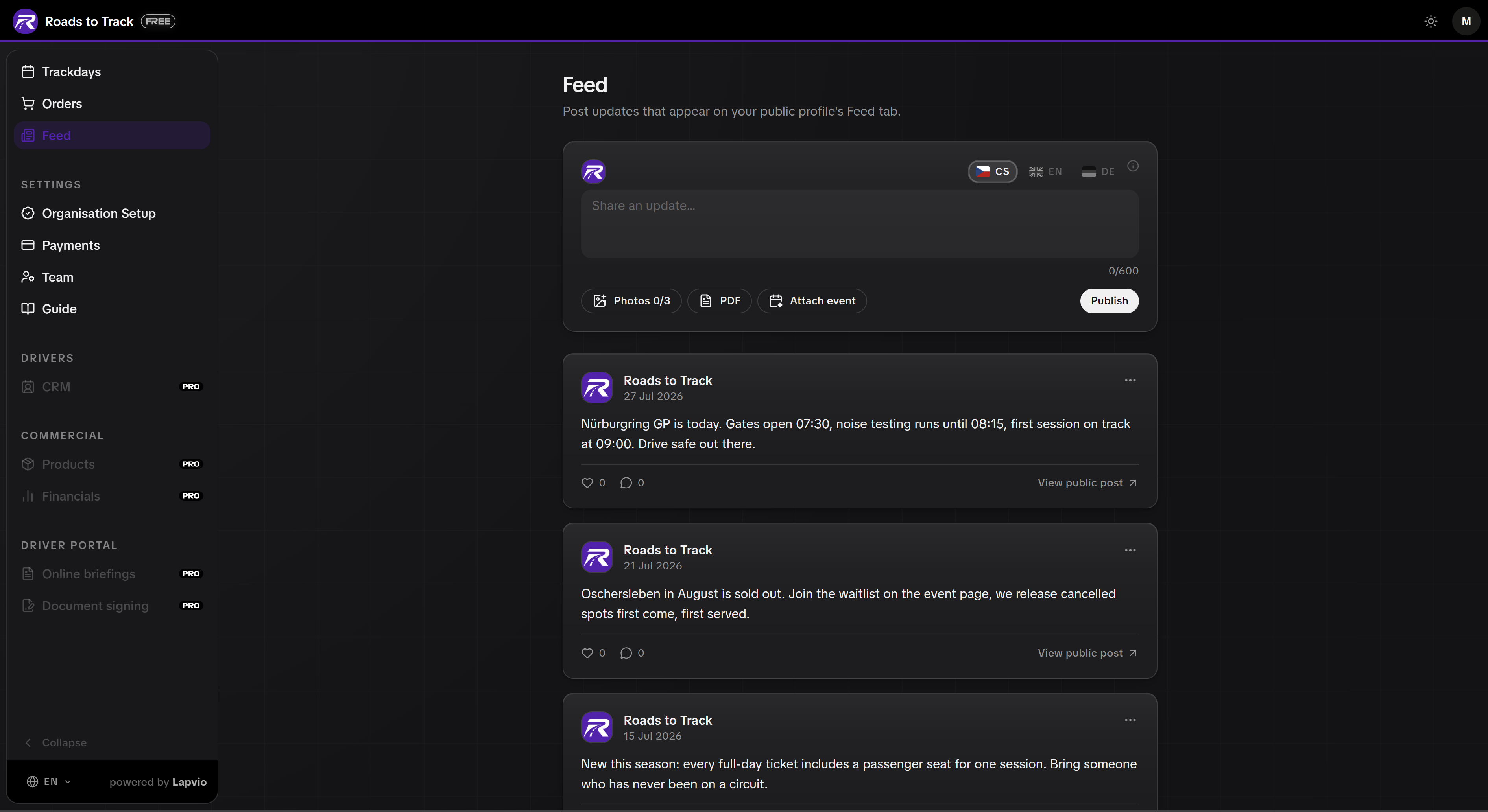
The sidebar is short on purpose. Everything you use daily sits at the top.
| Where | What it is for |
|---|---|
| Trackdays | Create, edit, publish and run your events |
| Orders | Every ticket sold on Lapvio, with refunds |
| Feed | Posts that show on your public profile |
| Organisation Setup | Logo, brand colour, bio, contacts, socials, reviews |
| Payments | Stripe connection, VAT status, cancellation policy |
| Team | The people who can manage this organisation |
| Guide | This manual |
Below those sit greyed-out items: CRM, Financials, Online briefings, Document signing. Those are PRO. They stay visible so you know what exists, and they never block what you are doing.

PRO adds the operational layer on top of all of this: a driver database, online briefings, waiver signing, and profit and loss per event.
Where to go next
- Set up your public profile so drivers know who you are.
- Create your first trackday and publish it.
- Decide whether you want to sell tickets on Lapvio.
One thing worth knowing up front: your login is a normal Lapvio account, so the same email makes you an organiser and a driver. See Organiser and driver, one account.