Your profile is the page drivers land on when they find you. It is also what search engines index, and where your brand colour comes from across the rest of the product. Edit it under Organisation Setup.
Logo and brand colour
- Logo. A square PNG or JPEG, up to 5 MB. It shows on your profile, your event listings and your driver-facing emails.
- Brand colour. Used for accents and buttons on your public profile, your event pages and your admin shell.
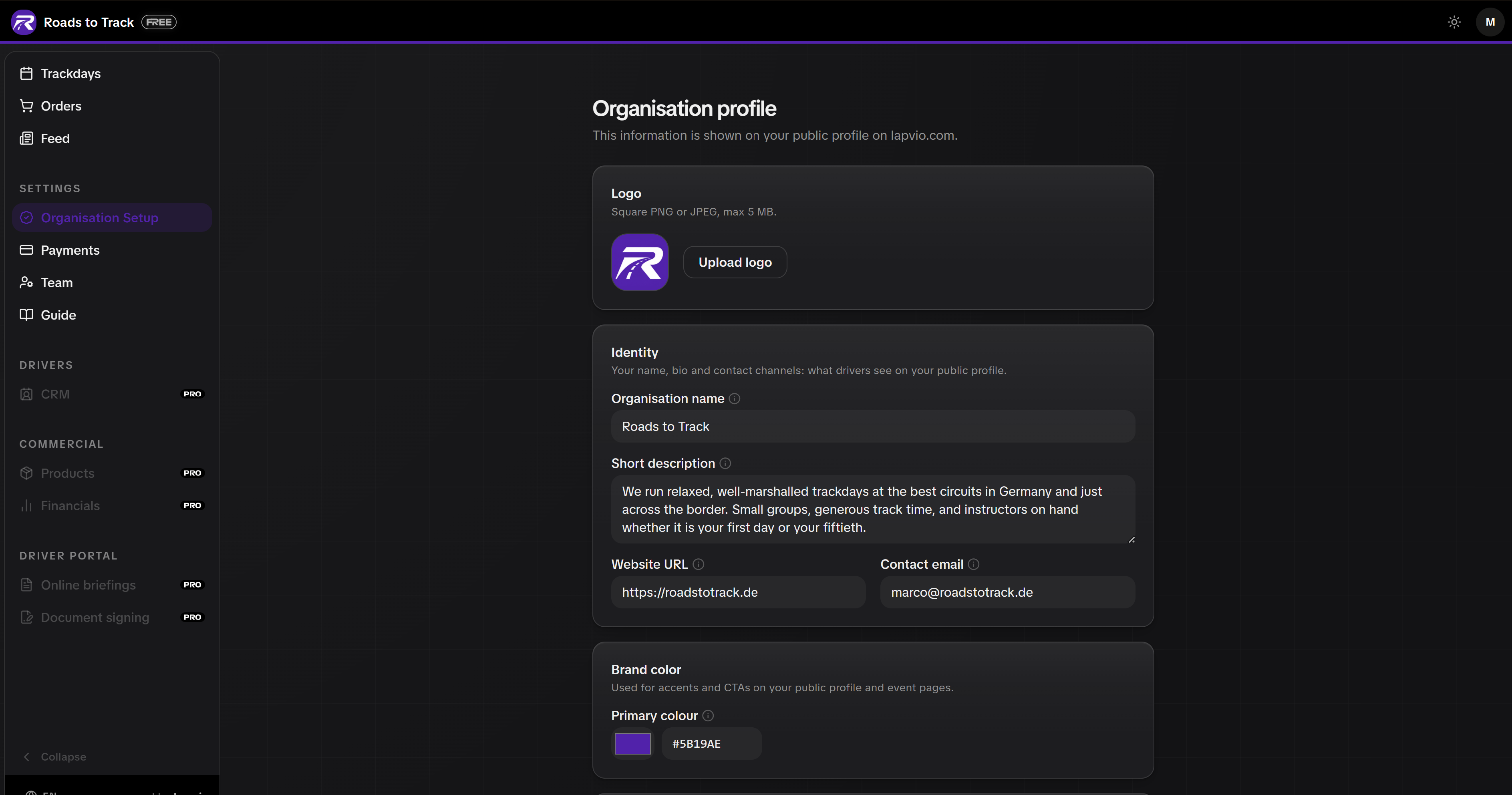
Pick a colour that survives both backgrounds
Your colour is drawn on light and dark surfaces. Anything close to white or black stops reading as a brand colour, and Lapvio warns you when you pick one. Mid greys and saturated colours are fine.
Identity and contact
- Organisation name. What drivers see everywhere. Changing it later does not affect your past events.
- Short description. One or two sentences: what you run and who it is for.
- Website and contact email. Use an inbox you actually read. Drivers use it.
Social links
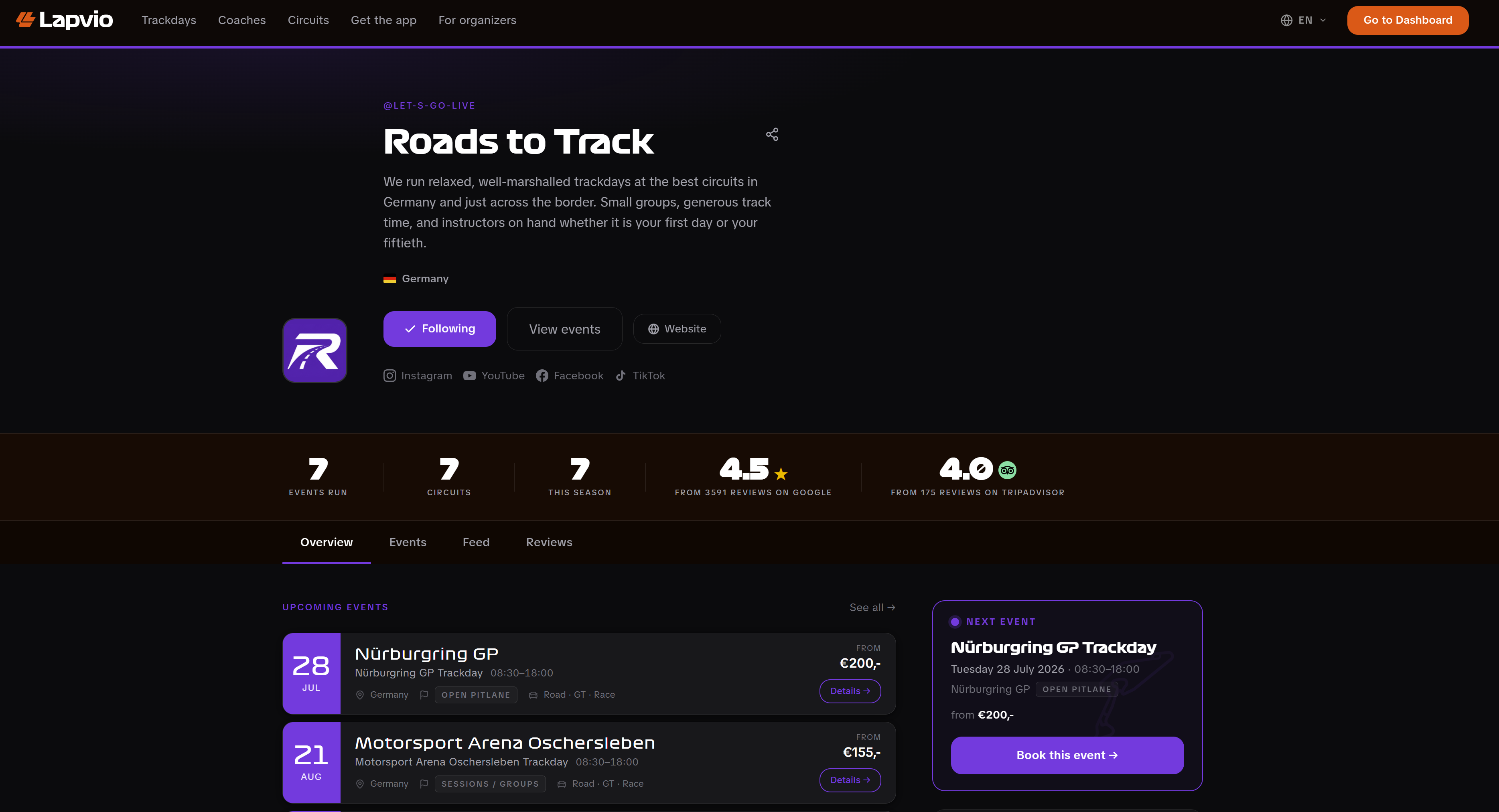
Paste the full address of your Instagram, YouTube, Facebook, TikTok or Discord profile. Leave a field blank to hide that channel from your page.
Reviews
Real ratings beat any description you can write. Both sources connect on this same page.
- Google. Paste your Google Place ID. Your rating then shows on your public profile.
- Tripadvisor. Paste your listing address or its numeric ID, tap Check listing, then confirm the preview with Yes, connect. Your rating and your latest reviews appear on your profile.
Either source can be disconnected again at any time. Connect at least one before you publish your first trackday.
See it as a driver sees it
Open the account menu in the top bar and choose View public profile. That is your page, live, exactly as a driver gets it.
One Save for the page
Edits across the profile save together. Make all your changes, then Save. Your public page updates immediately.
With your profile set, create your first trackday.