You are not only an organiser. You drive too. Lapvio treats that as one account with more than one role, so you never juggle two logins or two inboxes.
One login, up to three roles
| Role | What it is | Who gets it |
|---|---|---|
| Driver | Your own trackday history, garage, lap times, circuits map and Feed | Everyone |
| Organiser | Your organisation's admin: trackdays, orders, Feed, payments | Anyone on your Team |
| Coach | The instructor workspace, if you also sell instruction | Anyone with a coach profile |
They are roles on one account, not separate accounts. Switching is a view change, never a new sign-in.
Switching on the web
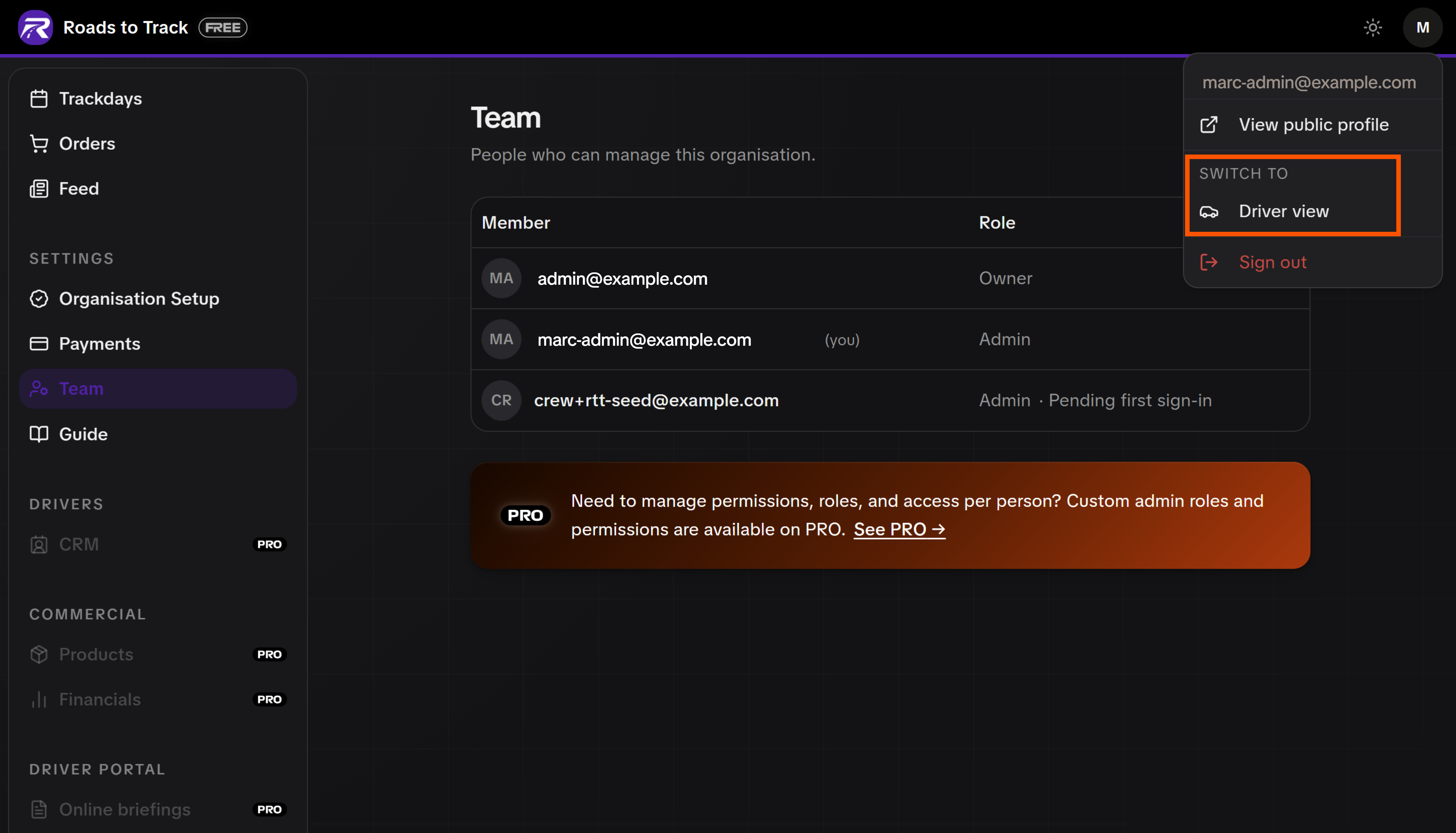
Open the account menu in the top-right of your admin. Under Switch to you get:
- Driver view, which opens your own driver dashboard.
- PRO admin, if the account also administers a PRO organisation.
- Any other organisation you administer.
Your driver dashboard has the same menu pointing back, so the round trip is two clicks.
Switching in the app
The Lapvio app has the same switch. Open You, tap the mode chip at the top, and pick your role. The whole bottom bar changes with it. See Lapvio on your phone for what Organizer mode actually contains.
Organizer mode has one requirement
Organizer mode only appears in the app once your organisation can take payments on Lapvio (or is on PRO). Until then the app is your driver app, and your organisation is run from the web admin.
What stays separate
- Your driver profile is yours. Your history, garage and lap times belong to you personally, not to the organisation. If you stop running events, they stay with you.
- Your organisation's profile is the organisation's. Its Feed posts are published as the organisation, not under your name.
- Attending your own event counts. Buy a ticket to your own trackday like any driver and it lands in your record the same way.
Your team works the same way
Everyone you invite under Team keeps their own driver account and adds your organisation as a role. Nobody shares a login, and nobody has to give up their own driving record to help you run events.

PRO adds staff roles on top of this, so a gate marshal can be given check-in only, without seeing money or driver data.