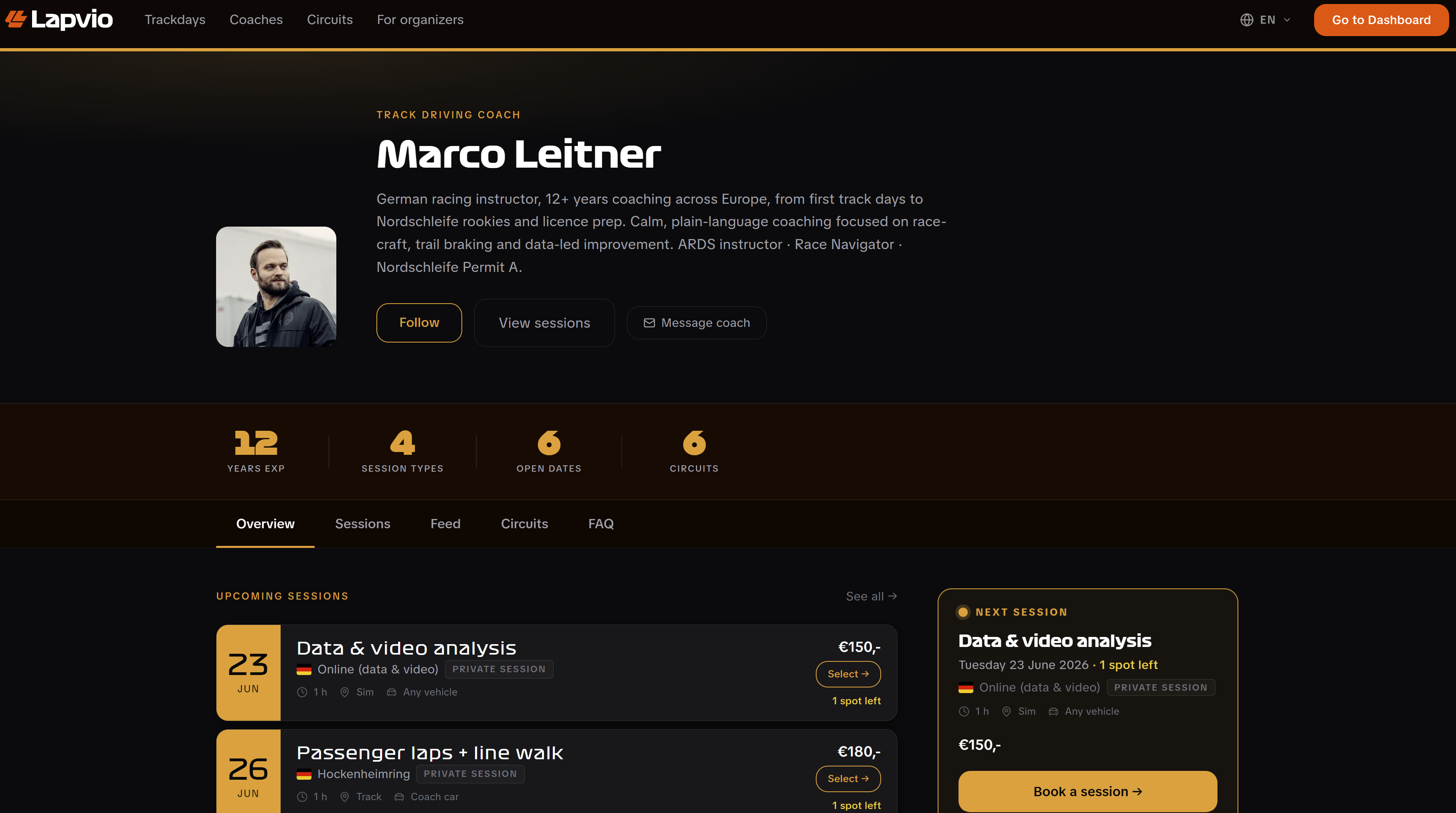
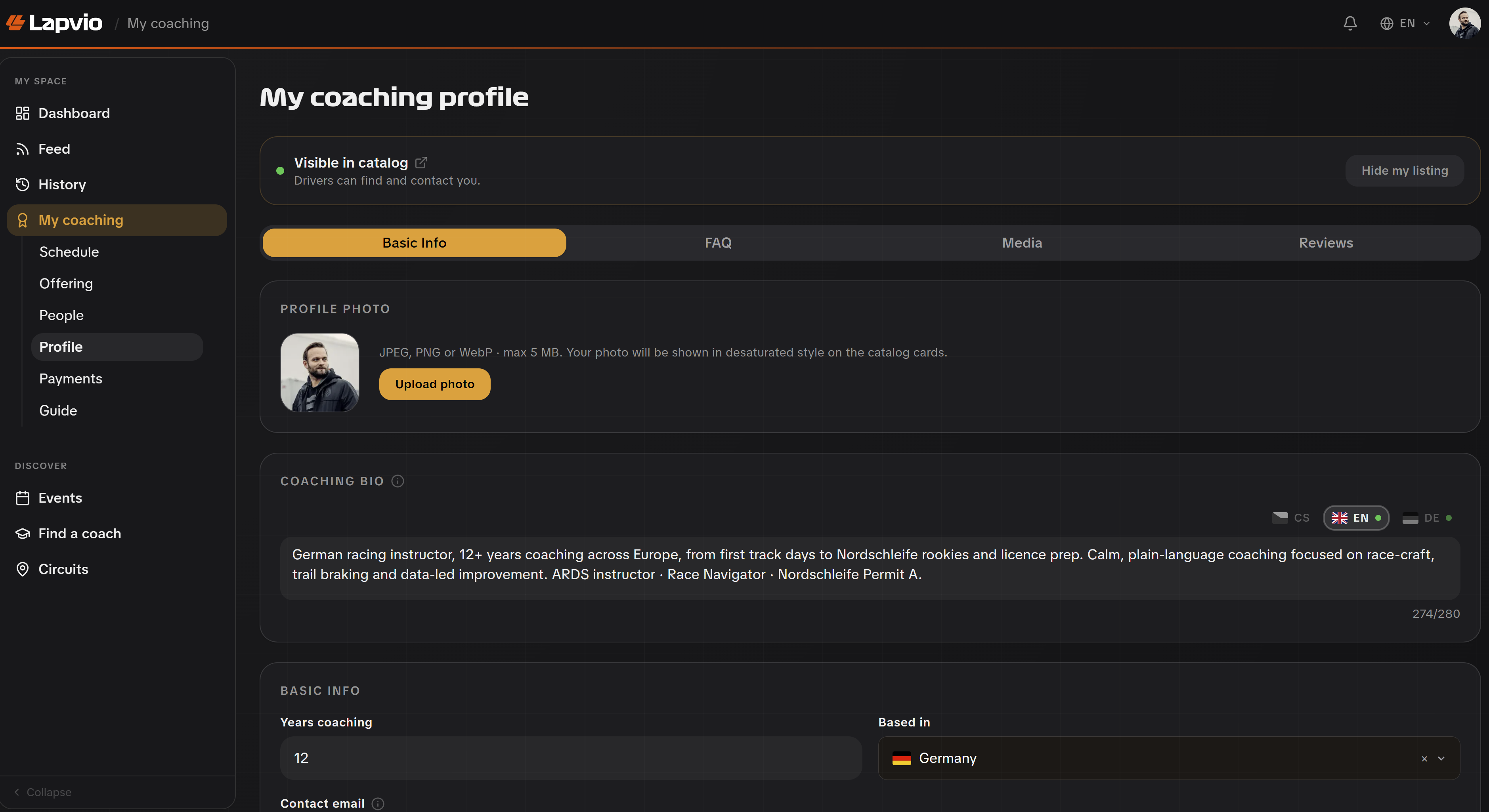
Your profile is your shopfront: it's the page drivers land on, search engines index, and you share. It lives under Profile, split into four tabs. Basic Info, FAQ, Media, and Reviews. With one Save button at the bottom that saves everything at once.
Basic Info
This is the bulk of your page. Everything here shows publicly:
- Photo. A JPEG, PNG or WebP up to 5 MB. It's shown in a desaturated style on catalog cards, so a clear head-and-shoulders works best.
- Bio. Your coaching approach, written per language (English / Czech / German) via the flag tabs.
- The basics. Years coaching, the country you're based in, a contact email drivers can reach you on, and your website.
- Specializations. Pick from presets (trail braking, wet weather, race prep…) or add your own. They show as tags.
- Languages. What you teach in.
- Credentials. Racing licence, instructor licence, Nordschleife licence. All optional, all shown if filled.
- Circuits. The tracks you coach at; star the ones that are your home circuits to feature them.
- Socials. Instagram, YouTube, Facebook, TikTok, LinkedIn.
Save once, not per field
Edits across all of Basic Info batch into a single save. Make all your changes, then hit Save in the bar at the bottom. It tells you when there are unsaved changes and confirms when it's saved.
If organizers have listed you as an instructor, you'll see those affiliations here too. You can remove one from your side; the organizer keeps you in their own roster.
FAQ
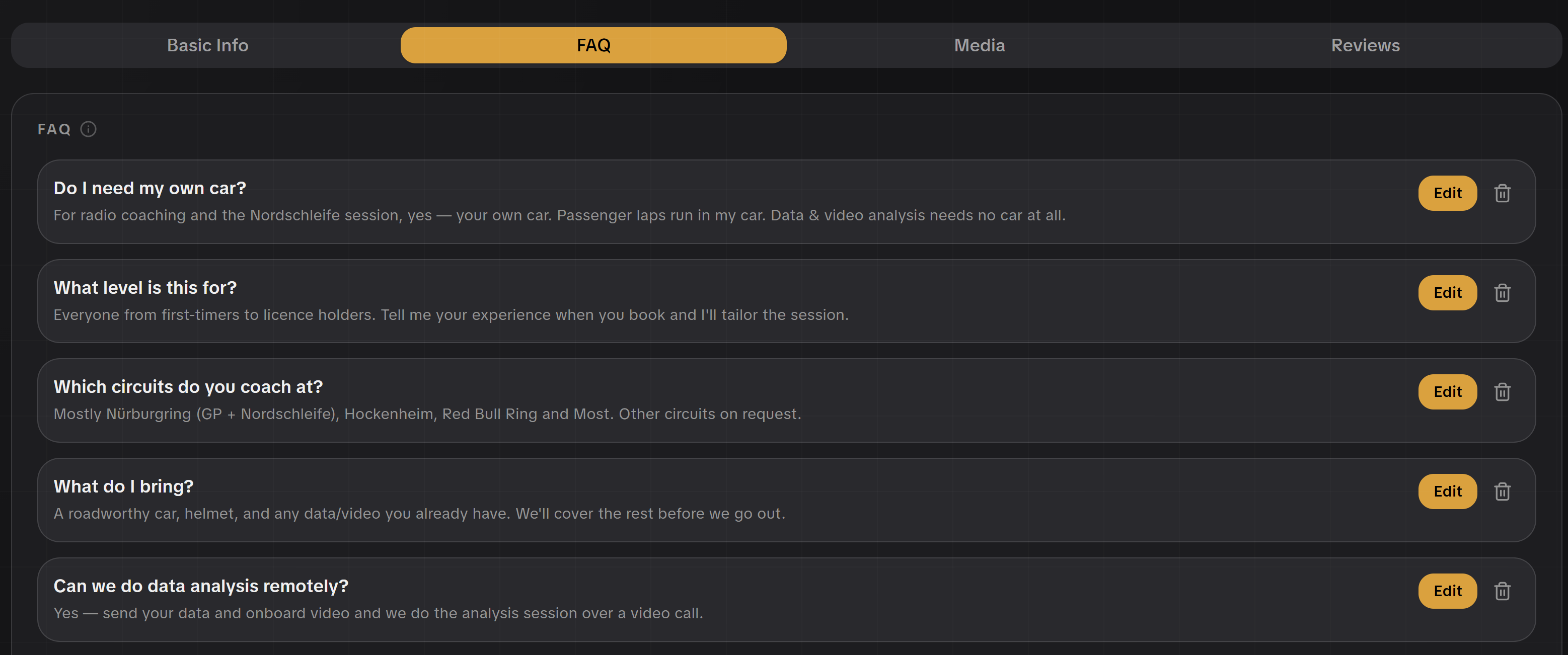
Answer the questions drivers ask before booking. What to bring, your cancellation policy, whether they need their own car. Open FAQ, tap Add question, and write the question and answer (both can be per language). You can add up to 12.
A good FAQ does double duty: it heads off the same emails over and over, and because your profile is indexed, it helps drivers find you through search.
Media
Two things make a profile feel real:
- Video. Paste a YouTube or Vimeo link (an onboard lap, a debrief clip).
- Photos. A gallery of up to 6 images, up to 8 MB each.
Reviews
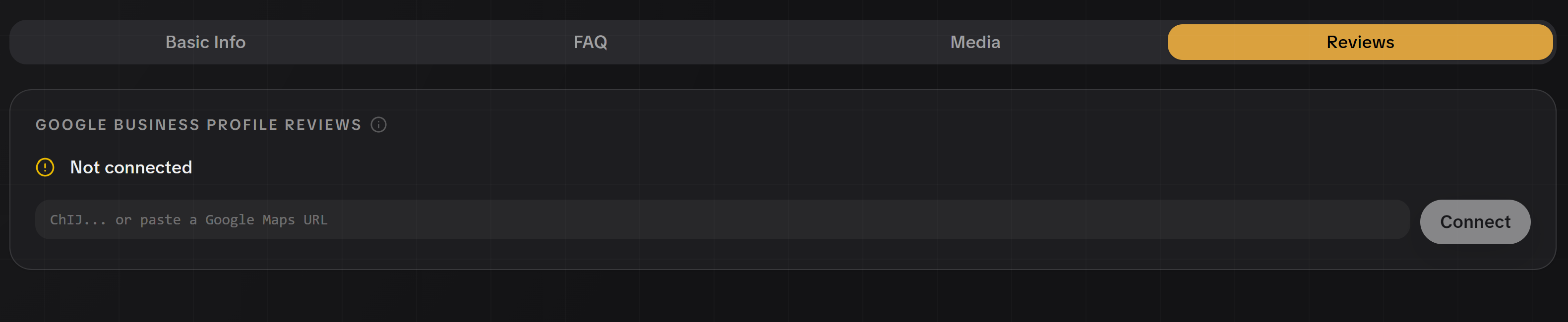
Under Reviews you can connect your Google reviews so your real rating and recent reviews appear on your profile. Add your Google Maps Place ID (or paste the link) and Lapvio syncs your aggregate rating and review count, refreshing on its own. You'll see the connection status, when it last synced, and a Sync now button to refresh on demand.
How to find your Place ID
The fiddly part is getting the ID itself. Open Google's Place ID Finder and scroll down a little to the map. In the lookup field above the map, type your business name, pick it from the dropdown, and your Place ID appears in a small box on the map, ready to copy and paste here.
Reviews are verified, not typed
These come straight from Google. You can't write or edit them. That's the point: drivers trust a rating they know you didn't author.
Going visible
At the top of Profile is the switch that controls whether you're listed:
- Visible in catalog. Drivers can find and contact you.
- Hidden from catalog. Not listed publicly, but existing links still work.
Flip it with Hide my listing / Show my listing, and use View my public profile to check your page exactly as a driver sees it before, and after. You go live.