You are choosing for them as much as for yourself. This chapter is your trackday seen from the driver's phone, so you know exactly what you are offering.
Before they book
However you take bookings, a listed trackday is discoverable:
- It appears in trackday discovery, filterable by circuit, country, date, driver level and vehicle type.
- It appears on your public profile, with your logo, colour, bio and reviews.
- It appears on the circuit page for the circuit you run it at.
Drivers can follow your organisation, or follow a circuit. When you show a new date in the catalog, everyone following gets a notification. That is the single best reason to publish early rather than the week before.
Booking through your own site
The event page shows your price and a button to your booking system. Clean and simple. Two things happen after that:
- The driver books on your site, and Lapvio does not know about it.
- The trackday only reaches their Lapvio record if they log it themselves, or confirm it when Lapvio asks whether they were there.
Nothing is broken about this. It just means the day ends where your booking system ends.
Booking on Lapvio
If you sell on Lapvio, the same event page carries a Bookable on Lapvio marker, and drivers can filter discovery down to only these events. Then:
1. Checkout
They pick their ticket and any add-ons, pay by card and are done. No Lapvio account required to buy. Buying several seats is normal too, and the buyer gets a link to assign each seat to the driver who is actually using it.
2. Confirmation
A confirmation email arrives immediately, with the event details and their entry QR code. It sits in their inbox, so it works at the gate even with no signal.
3. Their own event page
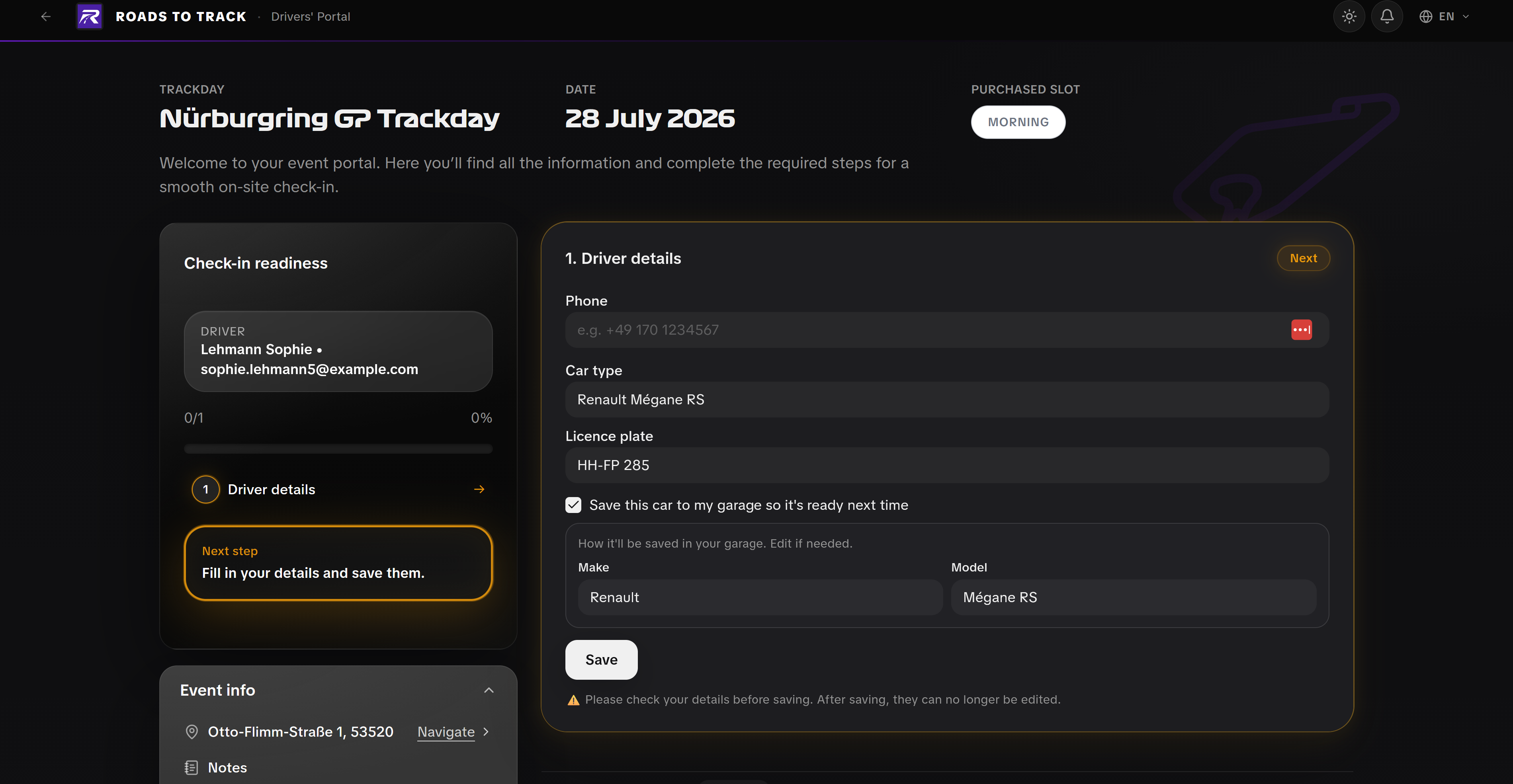
Every driver gets a personal page for your event: what to bring, when to arrive, their car details to fill in, and the same QR. No password, and it works on any phone.
4. In the app
The Lapvio app is free for drivers, and your event shows up there without them doing anything:
- On their next event card, with the entry QR available offline in the paddock.
- Under their tickets and orders.
- In Who is going, so they see which drivers they follow are attending. That visibility sells your remaining spots for you.
- In the event chat, where your messages reach them directly.
5. After the day
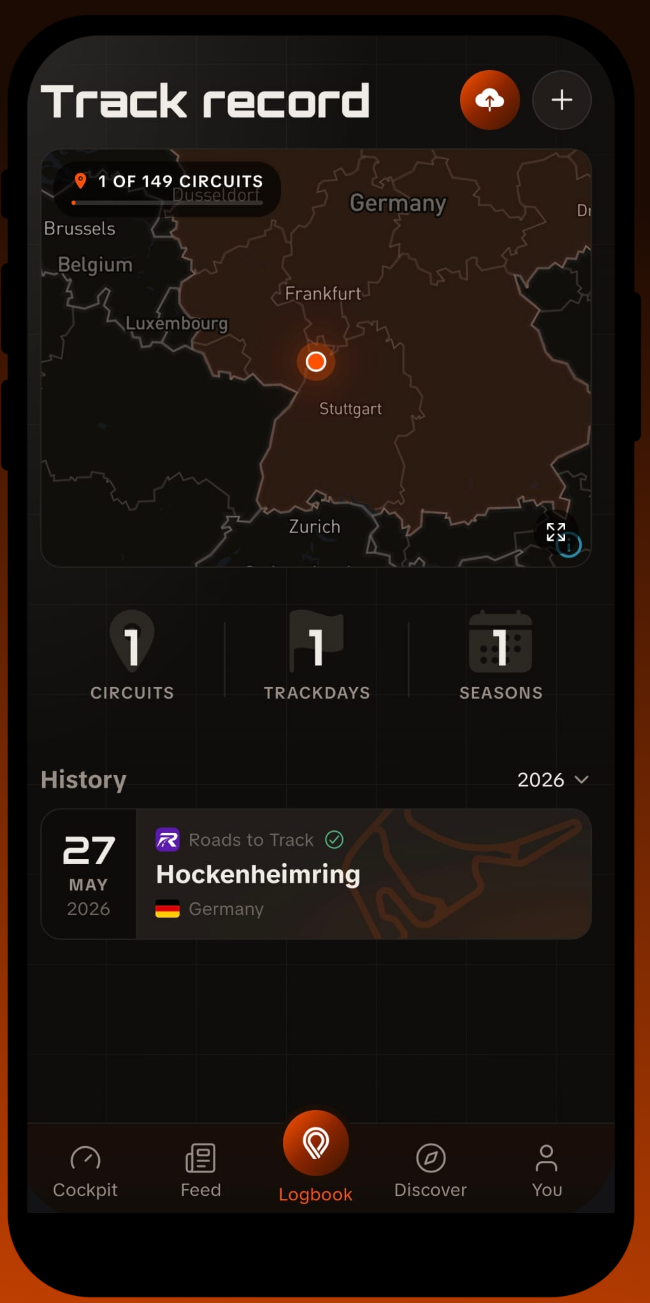
- The trackday lands in their track record as verified, because you confirmed they were there by selling them the ticket. Verified days carry a badge that self-logged days do not.
- The circuit lights up on their circuits map. Collecting circuits is a real motivator for a lot of drivers.
- It counts towards their season stats, and they can share the day to their story.
- If they run a lap timer, they import their laps and get their racing line drawn on the circuit outline, with their personal best.
Why this matters to you
A driver whose record fills up on Lapvio comes back to Lapvio to plan the next season. Every verified day you deliver puts your organisation in their history, on their profile, and in front of the people who follow them.
Drivers control their own privacy
History, garage, circuits map and lap times each have their own visibility setting, controlled by the driver. Nothing personal is published by you or by us.

PRO extends the driver's page into a full portal: the safety briefing completed at home, the waiver signed digitally, and a session-by-session schedule, all before they leave the house.